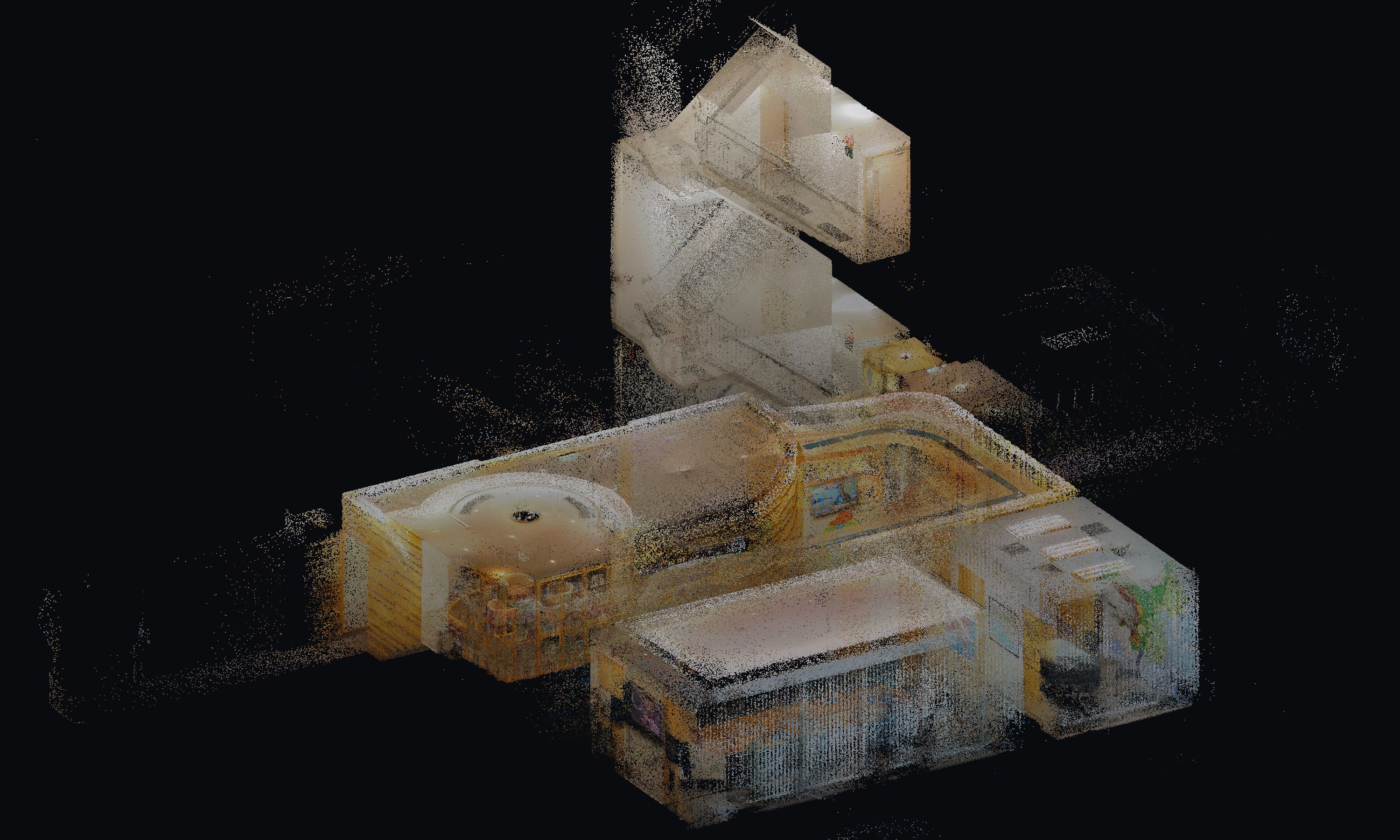
Point Cloud & Plans
2026 · 4 tools
Office point cloud to floor plan
A handheld scanner sweep of a multi-level office, turned into measured floor plans in ArcGIS Pro.
scroll ↓
01 / the problem
Fitted-out offices are awkward to measure by hand. Furniture, false ceilings and split levels make tape-and-sketch slow, and small mistakes only show up later on the drawing.
- 87.8 million points from a handheld SLAM scanner, 2.8 GB of LAS
- Two levels over roughly 29 × 37 m of floor area
- Plans had to be drawn in ArcGIS Pro rather than a dedicated CAD suite
- Every doorway and stairwell scanned twice, so overlaps had to be handled
02 / approach
What decided the result
Walk one continuous sweep per level, into every room
Register and clean the cloud before drawing anything
Cut horizontal slices at wall height to separate walls from furniture
Trace walls, doors and openings in ArcGIS Pro
Check dimensions against the cloud before export
03 / workflow
How it runs in the field
Scanned each level with a handheld SLAM scanner
Registered overlapping passes into one cloud per level
Removed noise, ceiling clutter and stray points
Sliced the cloud at 0.9–2.2 m above floor level
Traced wall lines, door and window openings in ArcGIS Pro
Checked the drawn dimensions against the point cloud
04 / implementation
How the plans were made
Capture
handheldHandheld SLAM scanner walked at a steady pace, one sweep per level, doubling back through doorways and stairwells to keep the passes overlapping.
Registration
Overlapping passes aligned into a single cloud per level, then noise and stray points from reflective surfaces removed.
Slicing
Horizontal bands 0.9–2.2 m above floor level isolate wall lines from desks, chairs and ceiling services — the closest thing to a traditional plan cut.
Drafting
ArcGIS ProSlices brought in as a reference layer, walls traced to a line feature class, door and window openings marked by hand.
Check
Wall runs and room dimensions measured back against the cloud before the sheets were exported, so drawing errors stayed in the office rather than the client meeting.
results
- 87.8 M
- Points captured
- 28.6 × 37.4 m
- Plan extents
- 0.9–2.2 m
- Slice band
- Handheld SLAM
- Approach
2.8 GB LAS
two levels
above floor
one sweep per level
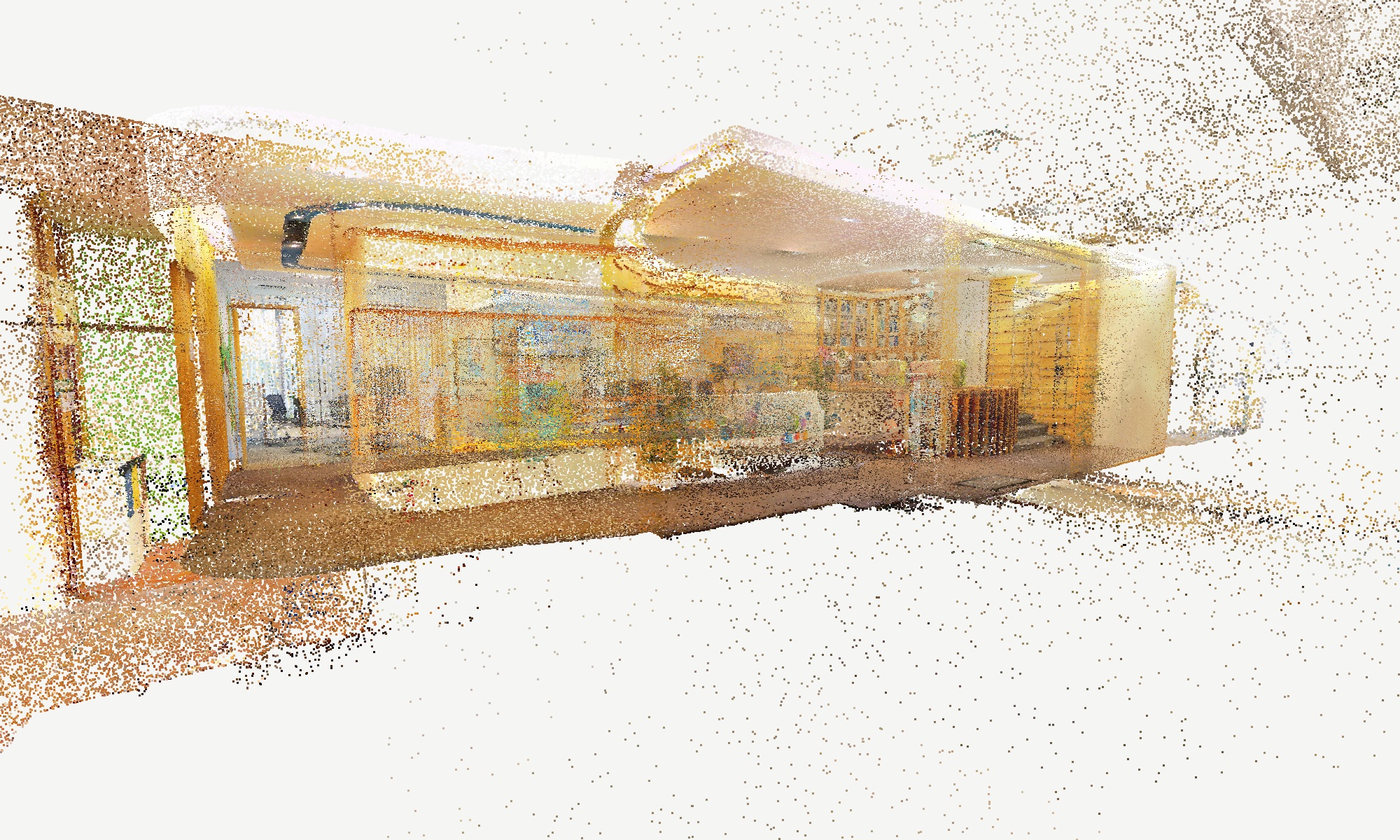
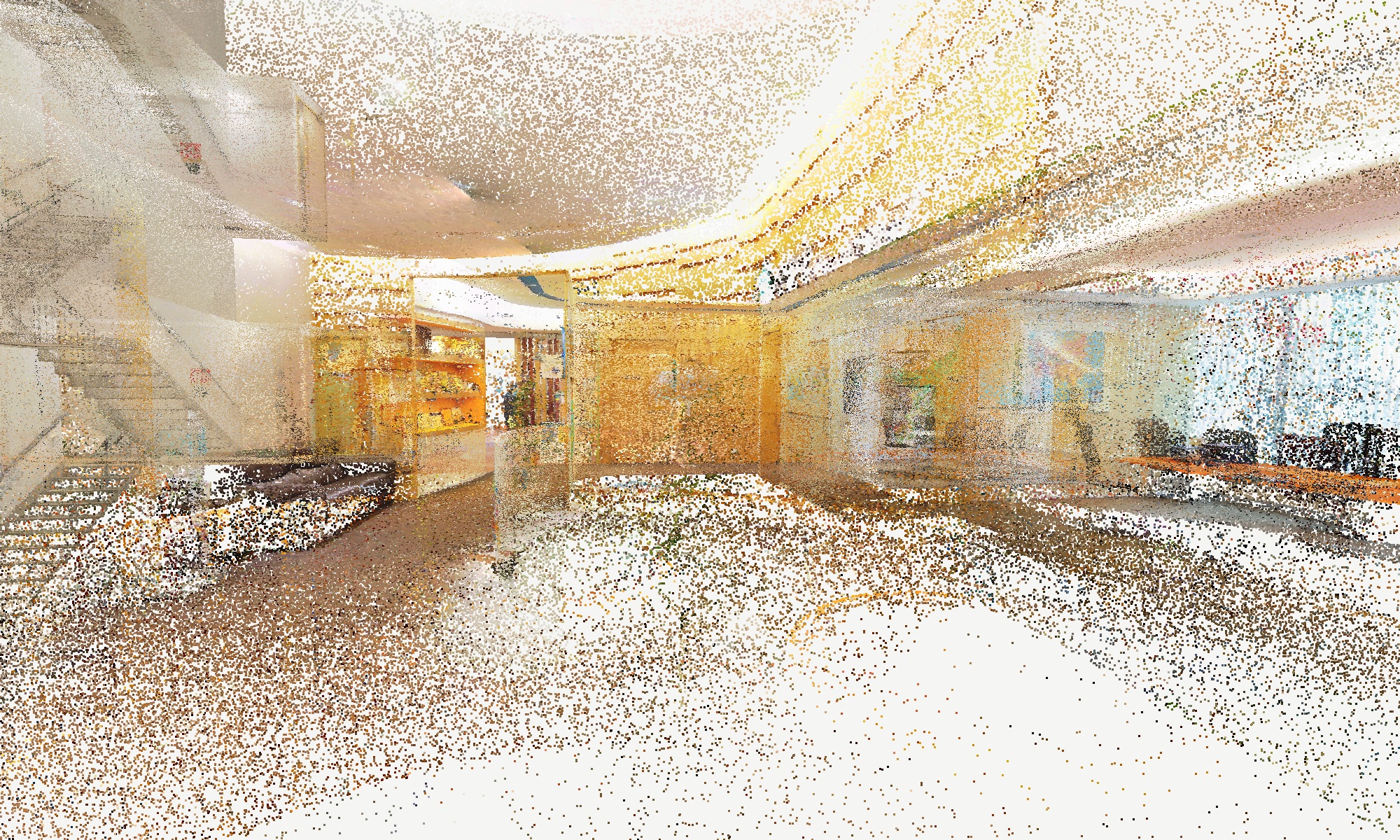
05 / inside the scan
What the scanner actually saw
06 / segmentation
Two ways to label the same cloud
A labelled cloud has to answer two different questions: where the surfaces are, and what the objects are. They are not equally hard. The first is geometry — normals, planes, clustering — and it finishes in under a minute on the laptop. The second needs a model that has seen furniture before. This page runs both, in that order, and keeps what each one is actually good at.
- 1 · Scroll the four classes
- 2 · Read the numbers
- 3 · See how it was built
- 4 · Drag the cloud yourself
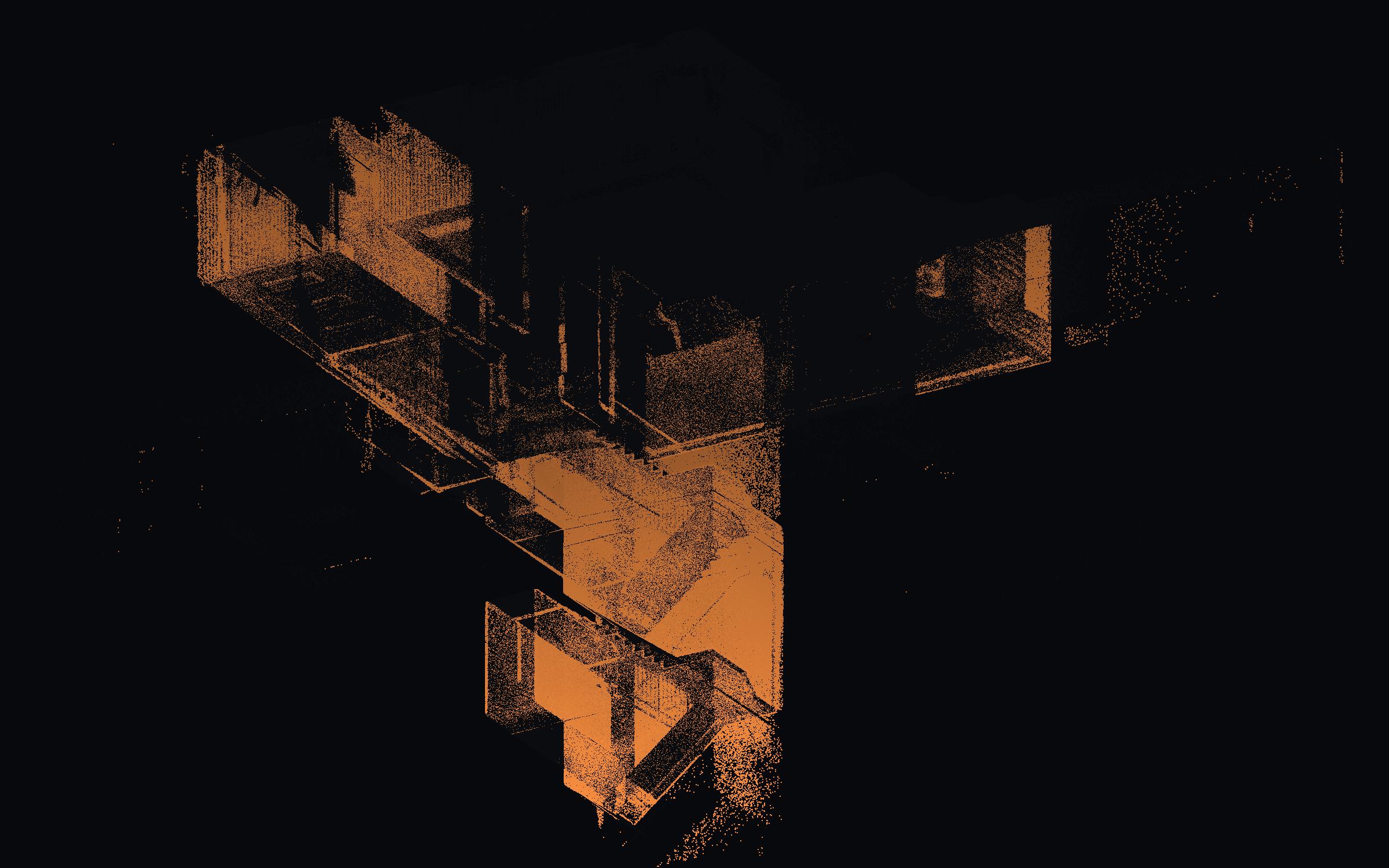
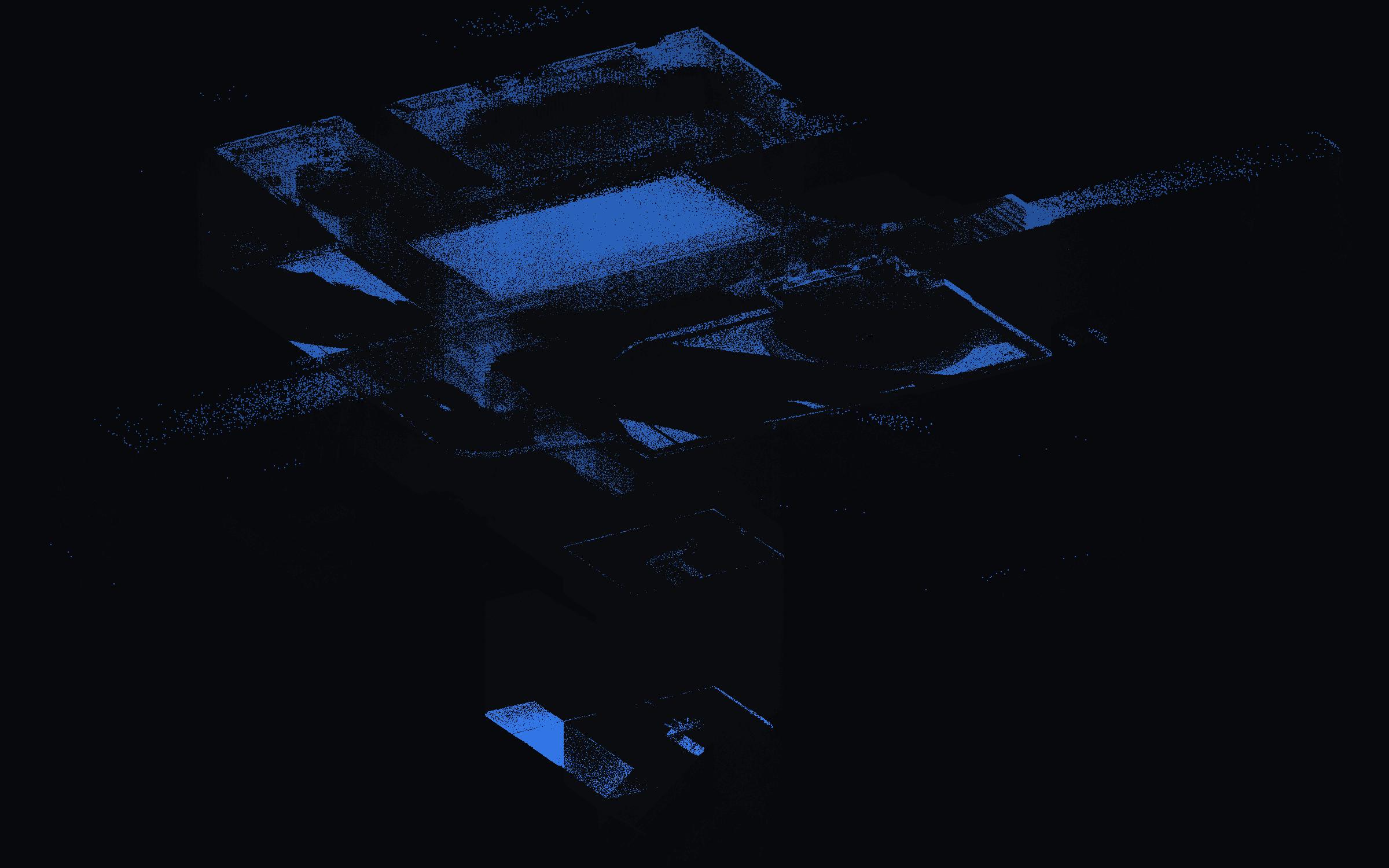
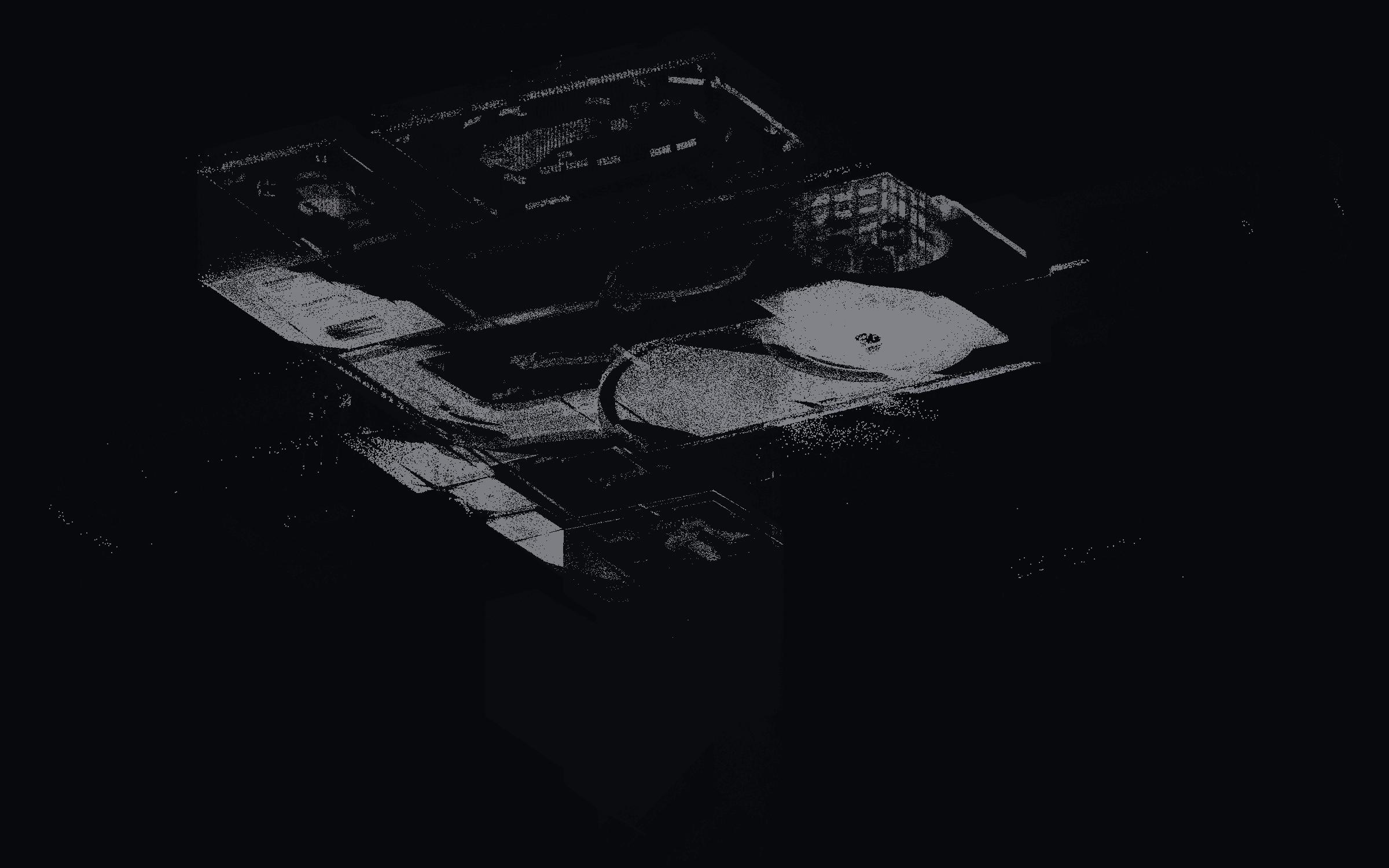
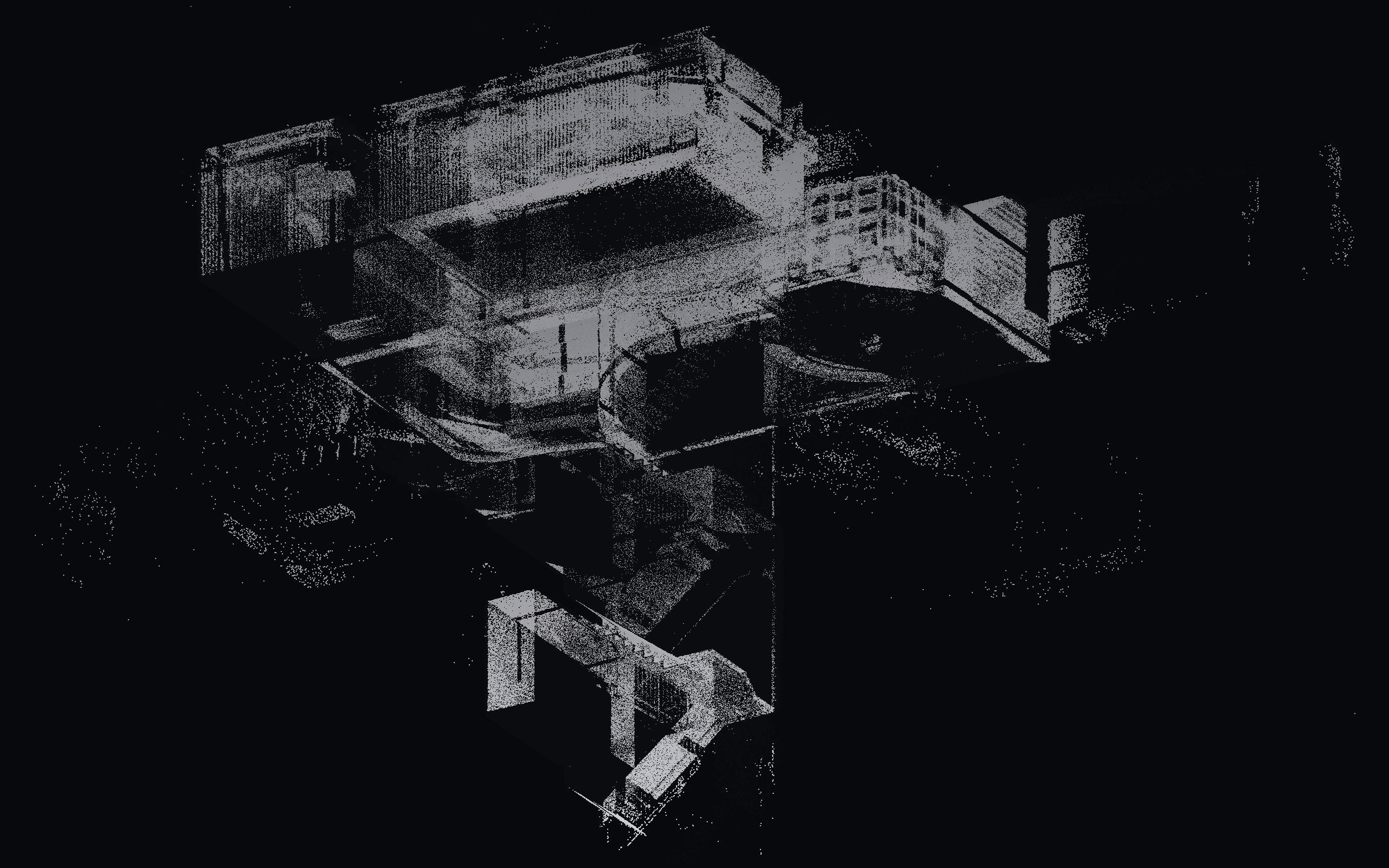
Walls · 31% of points
01 · Walls
Walls
Points whose normals face sideways were grouped into 9 vertical planes — partitions, columns and the outside envelope. This is the set that later became the linework on the floor plans.
02 · Floors
Floors
The lowest horizontal plane in each level. Counting 10 cm cells across these points gives 141 m² of floor — a number that can be checked against the drawn plan.
03 · Ceilings
Ceilings
Horizontal planes above the floor, including the raised floor voids between levels. Kept separate so ceiling services never get mistaken for floor area.
04 · Everything else
Everything else
Desks, chairs, glazing, cable trays, people-shaped holes. These stay unclassified on purpose — calling them “furniture” without a trained model would be a guess dressed up as data.
- 141 m²
- Floor area found
- 150 m
- Wall run
- 9
- Wall planes
- 6
- Horizontal planes
- RANSAC + normals
- Method
- 39 s
- Runtime
how it was built · read top to bottom
- 01
Read the scan
The 2.8 GB file is opened in chunks, so it never has to fit in memory. Every 32nd point is kept, which leaves 2.7 million points — enough to describe the rooms, small enough to compute on.
laspy + NumPy
- 02
Work out which way each point faces
For each point, take its 16 nearest neighbours and fit a flat patch through them. The direction that patch faces is the “normal” — a wall’s points face sideways, a floor’s points face up.
SciPy KD-tree + PCA
- 03
Find the big flat surfaces
Three random points define a plane. If hundreds of other points sit on it, keep it, remove them, and repeat. This finds the walls, floors and ceilings without being told how many there are.
custom RANSAC
- 04
Give every point a surface
A point within 7 cm of a kept plane belongs to it. Horizontal planes are then sorted by height: the lowest one in each level is a floor, the ones above it are ceilings.
distance test
- 05
Separate the furniture
Whatever the planes did not claim is grouped by proximity. Only compact, furniture-sized groups are marked as objects; the rest stays “unclassified” rather than being guessed at.
scikit-learn DBSCAN
- 06
Put it in the browser
The stills come from a depth-sorted projection written by hand. The interactive version is 1.2 million points with a one-byte class label, which is what the toggles read.
hand-written renderer + three.js
All of it runs on an Apple M2 with 8 GB of RAM — no GPU, no cloud.
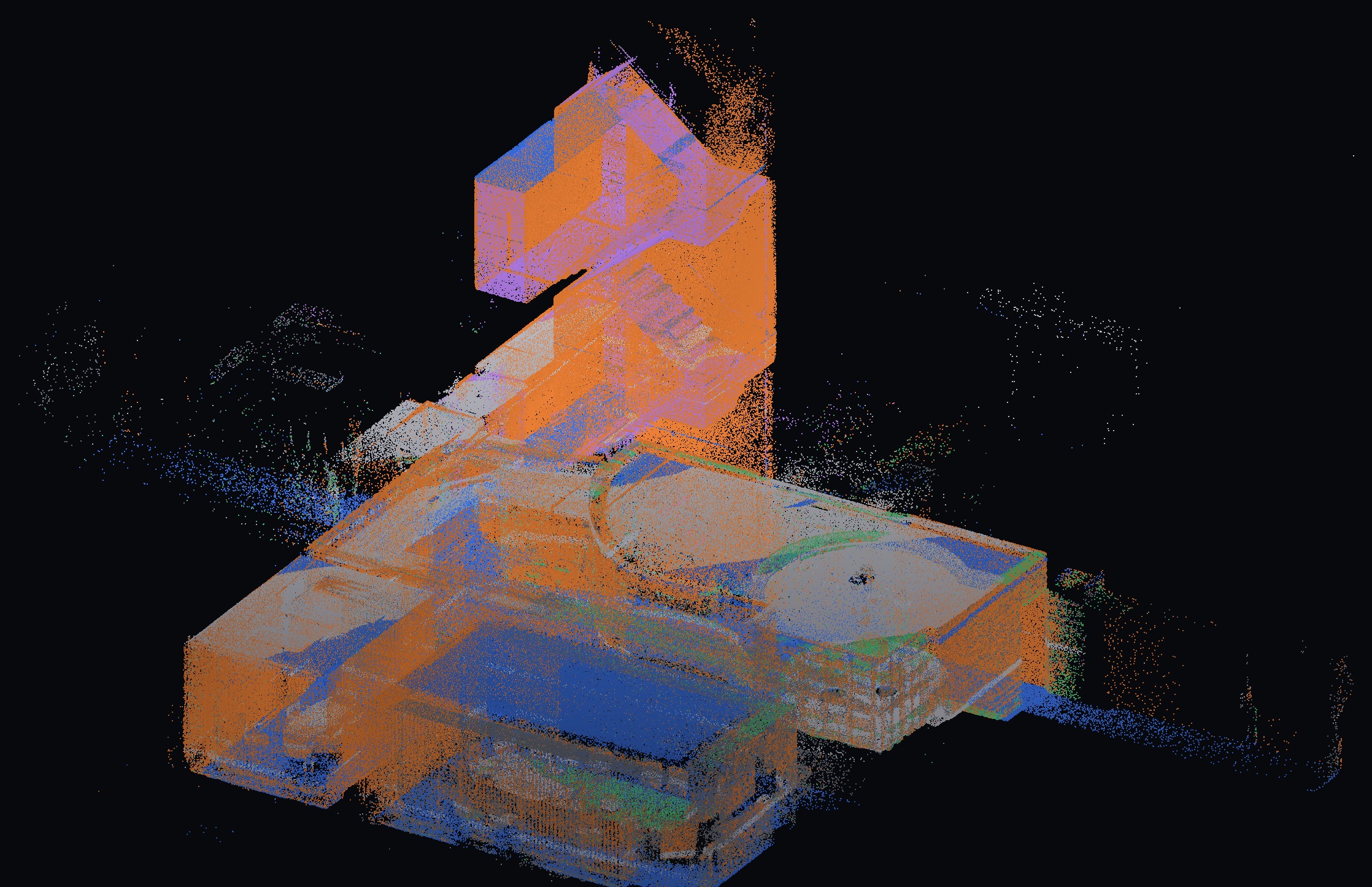
Walls (orange), floors (blue) and ceilings (grey) fitted as planes; everything else left unclassified on purpose.
07 / AI segmentation
The second attempt: asking a network what things are
Geometry answers "where is the surface". It cannot answer "what is this thing". So the same 1.24 M points were pushed through PTv3 on a rented RTX 4090, using S3DIS weights with no fine-tuning, and the two answers were compared class by class.
- 1.24 M
- points through the network
- 0.09 %
- labelled floor, zero-shot
- 16 %
- labelled “table” — mostly floor
- ~5 min
- inference on one 4090
Export a working copy
2.9 GB LAS becomes 1.24 M points on a 2 cm grid, centred and written to a 15 MB NumPy file. Upload is seconds, and the network gets the tensor format it expects instead of a binary LAS it cannot read.
Rent one GPU for the hour
A single RTX 4090 on Runpod, about US$0.9/hour, billed by the second. Everything except matrix multiplication stays on the laptop.
Pin the checkpoint's generation
The S3DIS weights are from 2024, so the code is checked out at Pointcept v1.5.2 rather than main. Argument names, tensor shapes and even the config format changed after that release.
Reproduce the training preprocessing
Colour scaled to −1…1, room centred in X/Y with the floor at Z = 0, features built from coordinates plus colour. Skip any of these and the model answers confidently and wrongly.
Tile, infer, stitch
Fourteen 8 m tiles, each passed through the network separately because attention over 1.24 M points exceeds 24 GB of VRAM. Predictions are merged back to one label per point in about five minutes.
Merge with geometry
Floors, ceilings and walls keep the RANSAC result; PTv3 supplies only what geometry cannot classify. The interaction band below lets you switch between all three.
| class | share | what it really is |
|---|---|---|
| wall | 35 % | includes tall furniture and glass partitions |
| sofa | 28 % | there are no sofas in this building |
| clutter | 22 % | catch-all for anything unfamiliar |
| table | 16 % | mostly the floor — see below |
| floor | 0.09 % | almost never predicted |
| ceiling | 0.03 % | almost never predicted |
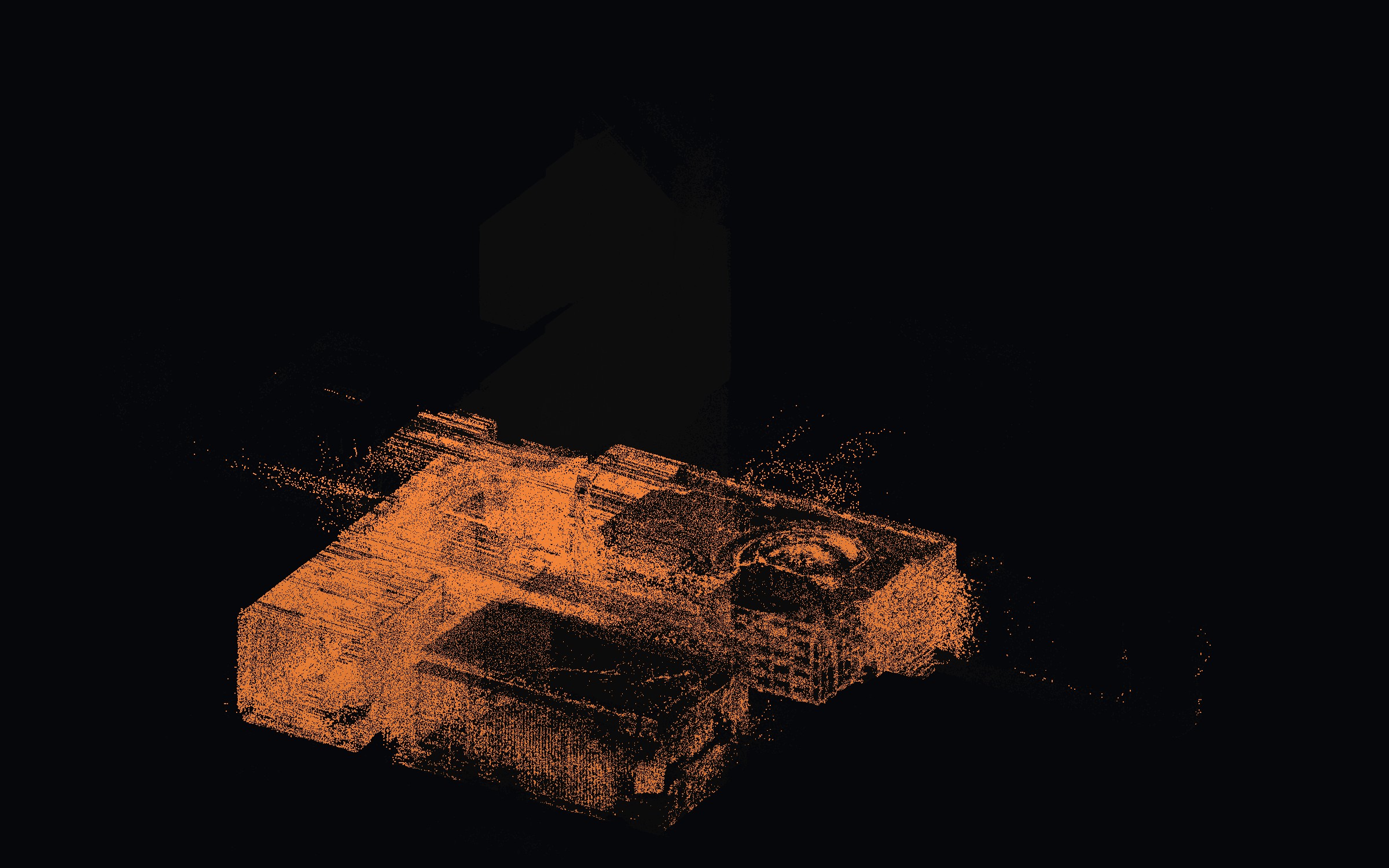
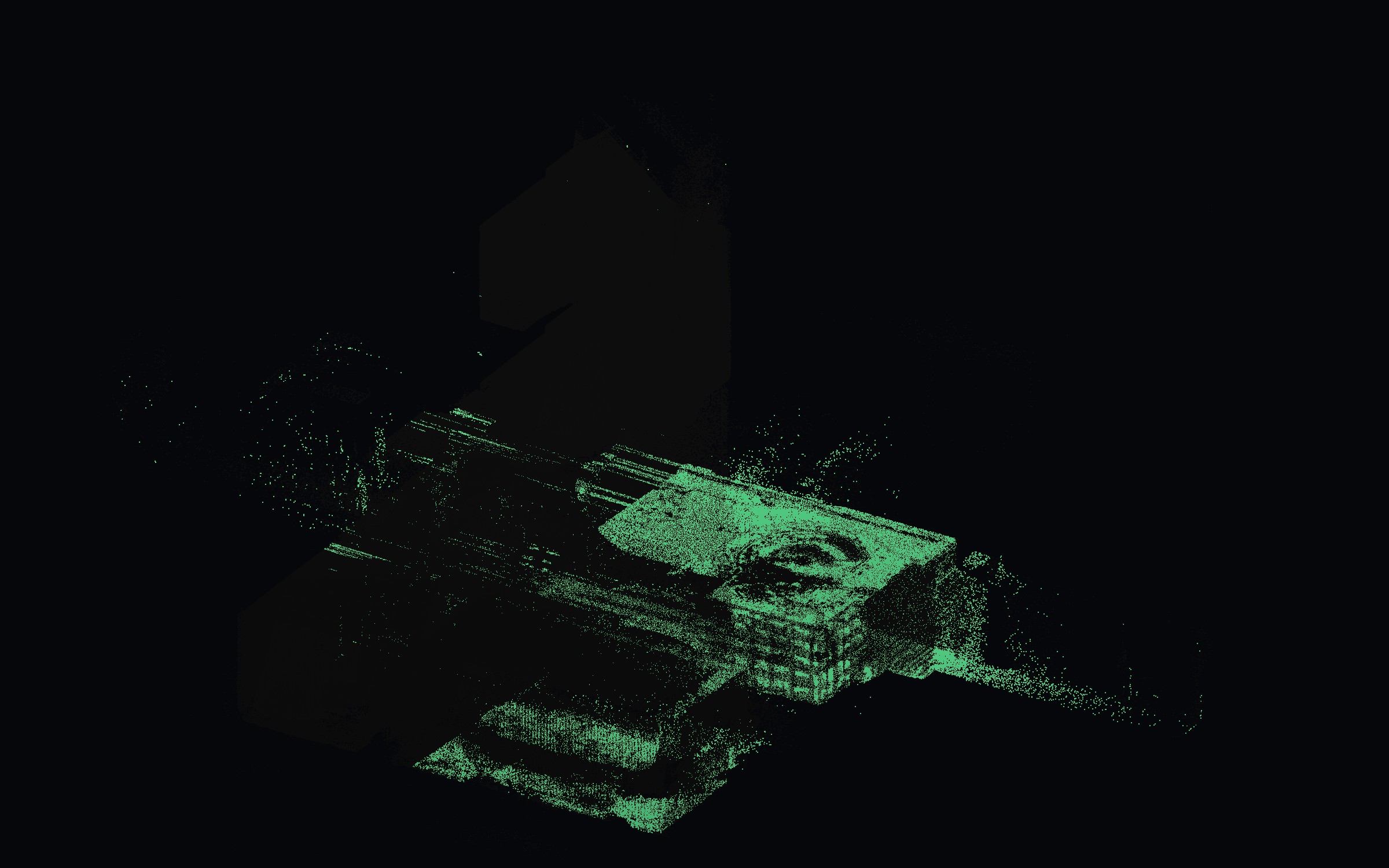
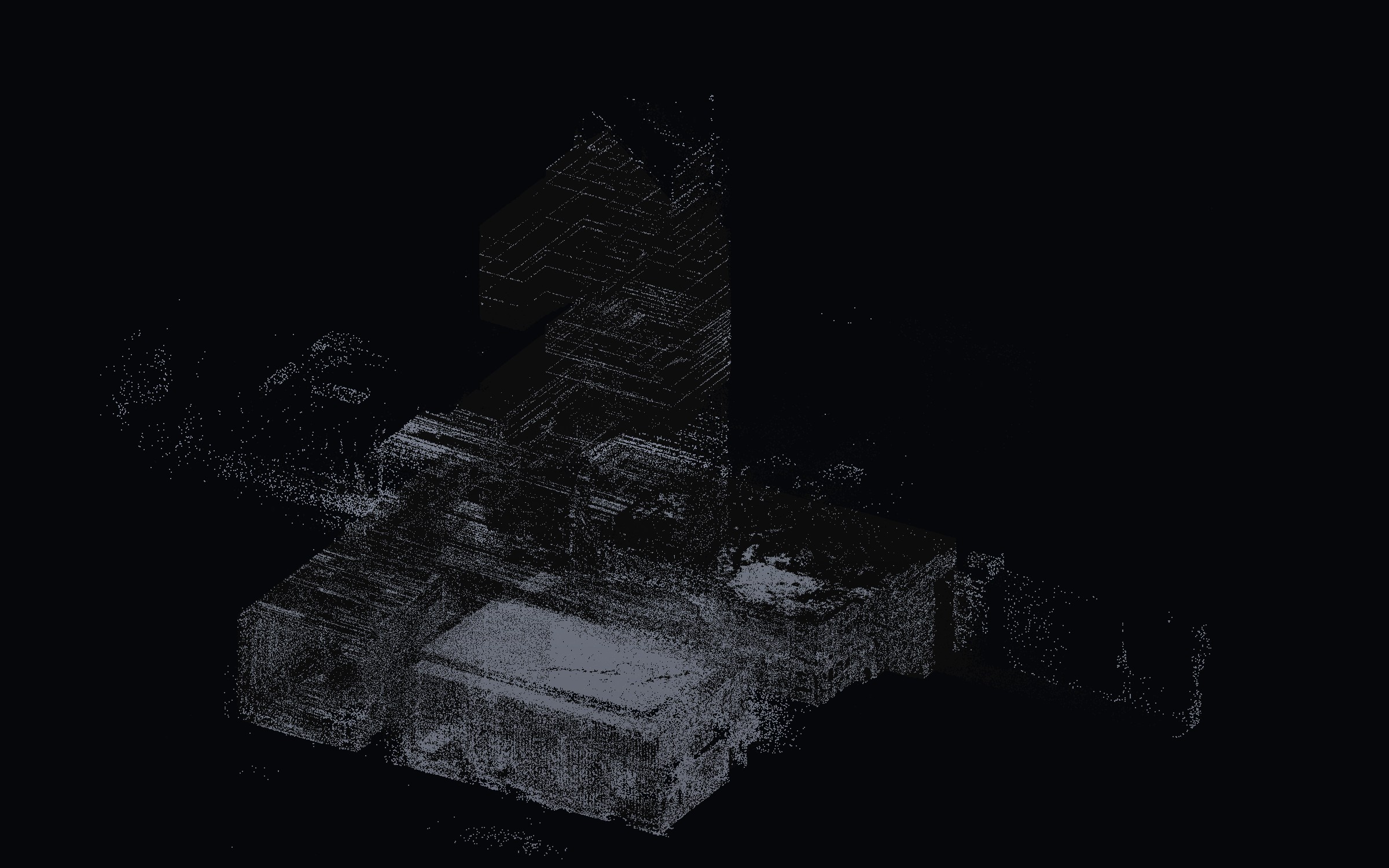
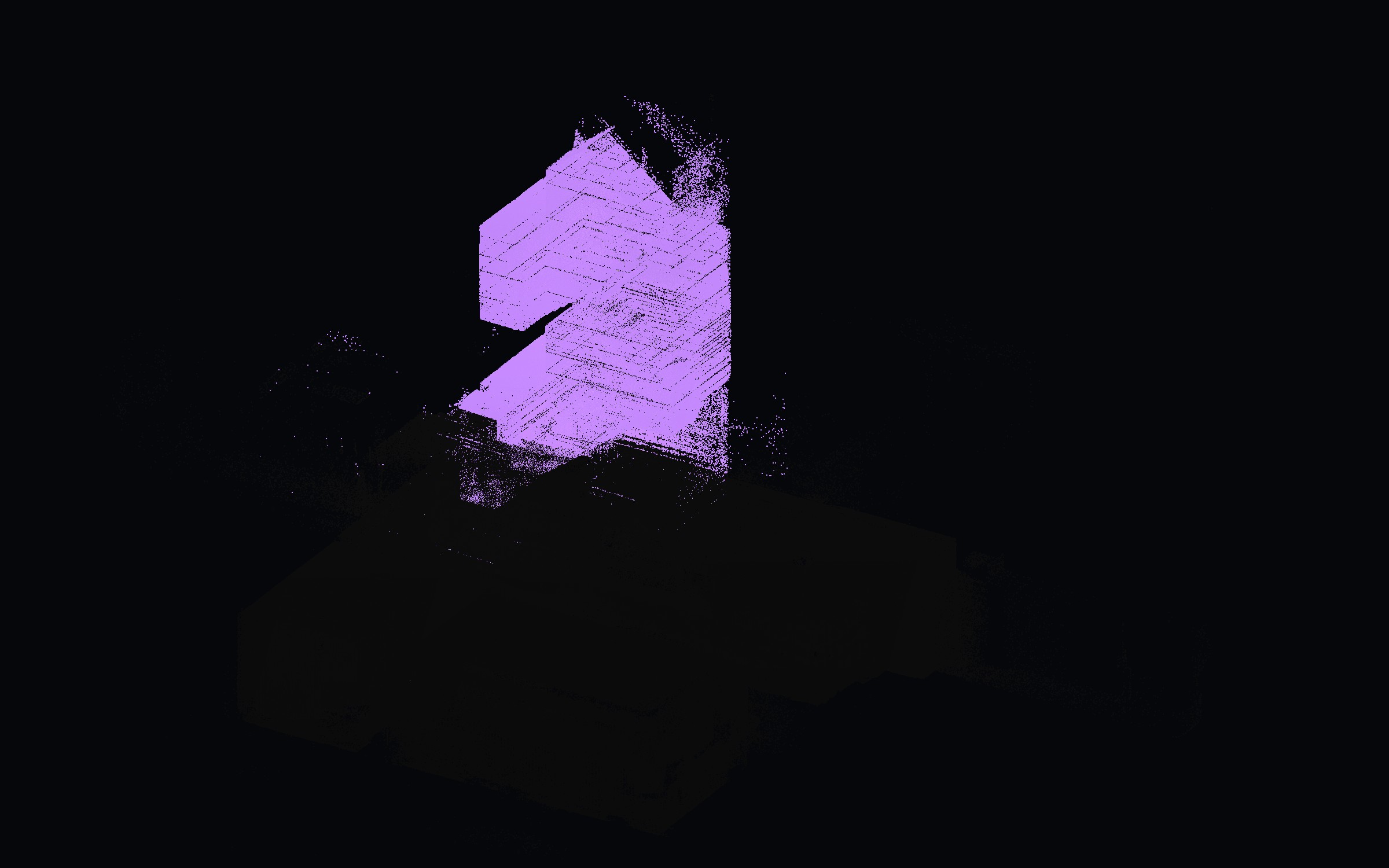
01 · WALL
Walls are found — and a lot else
Vertical surfaces are the one thing this model still gets roughly right. But the class also absorbs tall cabinets, partitions and anything standing up, which is why it takes a third of the cloud.
02 · TABLE
The class that swallowed the floor
Desks, raised-floor tiles and the floor itself all face upward with similar local geometry, so they land in one class. Look at the flat sheet across the bottom half: that is the floor, labelled table.
03 · CLUTTER
Whatever it could not name
Clutter is the model's escape hatch. In a building it was never trained on, a fifth of the cloud ends up here — which is honest, but not useful on its own.
04 · SOFA
The tell that it is guessing
There are no sofas in this office. A quarter of the points being labelled sofa is the clearest sign that the vocabulary does not match the room, no matter how confident the output looks.
05 · FLOOR
The class it almost never used
The floor is right there — 141 m² of it, measured by geometry in 39 seconds. The network labels 0.09% of the cloud as floor. That single number is why the hybrid exists.
- The network does find things: tables, chairs and windows appear where geometry sees only a grey mass — that is the part worth keeping.
- It also fails in a way that is easy to miss: 16 % of the cloud came back as "table", and most of that is the floor. Desks, raised-floor tiles and the floor all face upward with similar local geometry, so one class swallows them all, while the real "floor" class is used 0.09 % of the time.
- Geometry cannot make that mistake — a RANSAC plane knows the floor is the lowest large horizontal surface, and it measures 141 m² of it in 39 seconds.
- The conclusion is not that one method is better. It is that a labelled cloud needs both, and that the results should be shown with the errors attached.
Why the two results are merged
Neither method wins outright. Geometry is exact about planes and silent about objects; the network is the opposite in this building. So the merge rule is simple: where geometry has already measured a surface, keep it; everywhere else, take the network's label.
- 01Floor, ceiling, wall and beam come from RANSAC planes — 141 m² of floor, a 150 m wall run, 39 s on the laptop.
- 02Table, chair, clutter and window come from PTv3, which is where geometry has nothing to say.
- 03Where PTv3 guesses a plane anyway, that guess is discarded rather than blended — a plane is a measurement, not an opinion.
still wrong in Geometry
- 37 % of the cloud stays unclassified — every desk, chair and cable.
- Glass partitions and dark surfaces return too few points to fit a plane, so walls read as gaps.
- Floor area is 0.1 m grid occupancy, not a surveyed polygon; openings and columns are counted as floor.
still wrong in PTv3
- Floor and ceiling are effectively missing (0.09 % and 0.03 %), and the floor is absorbed into “table”.
- 28 % of the cloud is called “sofa” in a building with no sofas — confident, wrong.
- Trained on American single-storey rooms: glass, raised floors and two-storey geometry are outside its vocabulary.
What would actually improve it
- 01Hand-label 30–50 points per class across three or four room types, then fine-tune the pretrained weights for one to two GPU hours. This is the single biggest gain available.
- 02Use indoor datasets closer to Hong Kong stock — Structured3D, ScanNet++ or a locally captured set — instead of S3DIS alone.
- 03Feed more than XYZ + RGB: return intensity, point density and a glass / transparency mask would address the walls that geometry loses.
- 04Enforce consistency between the two: a point on a fitted plane cannot be “chair”, and a cluster floating 1 m above the floor cannot be “wall”.
- 05Raise the sampling to 1 cm around thin objects (chairs, rails, cables) while keeping 2–3 cm for large surfaces, so the network sees what it is labelling.
- 06Report accuracy against held-out rooms, never against the training set, and publish the confusion matrix with the figures.
drag to compare
The raw scan, and what the two methods made of it.
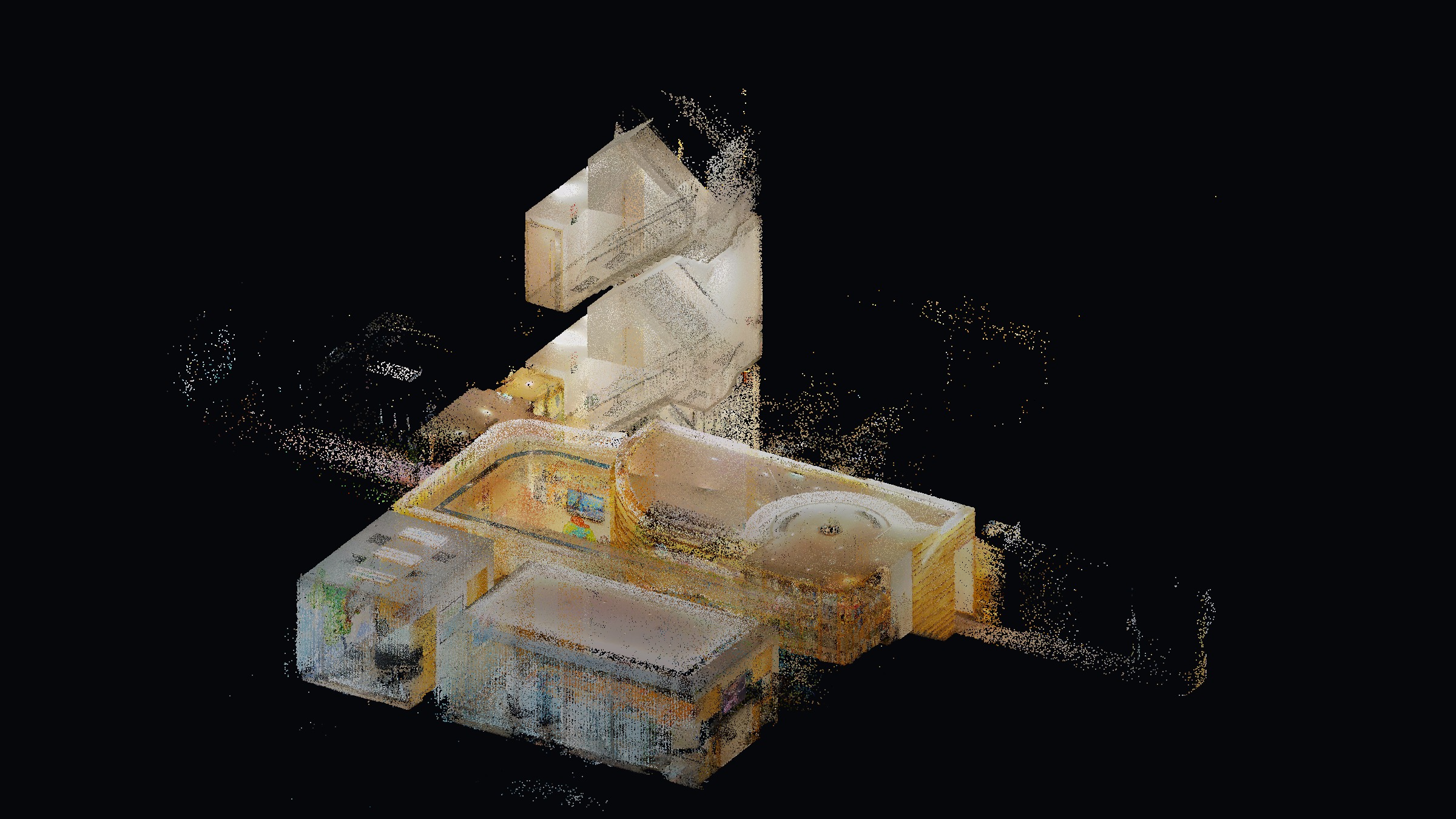
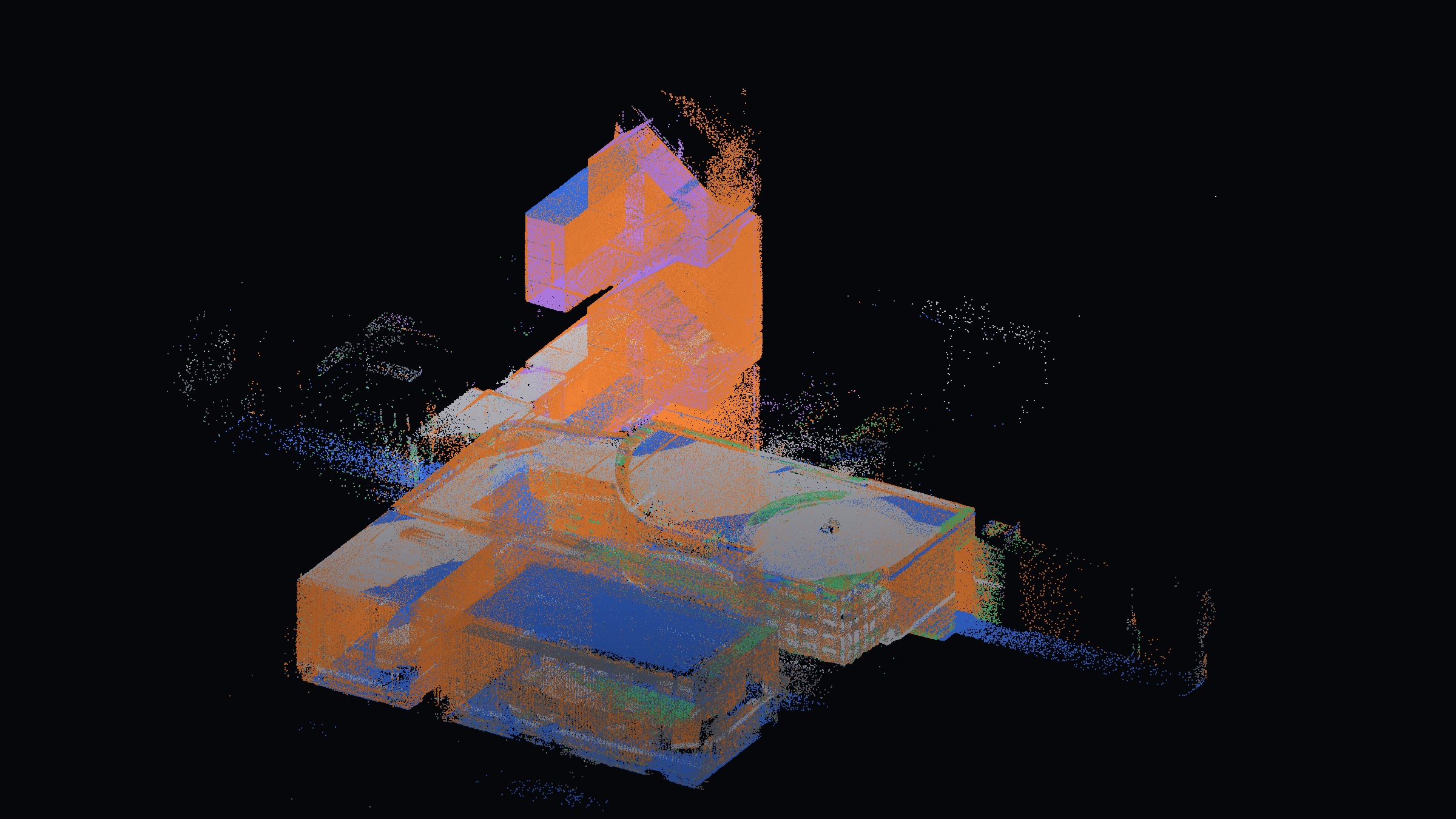
Left of the divider: the scan as captured, coloured by the scanner. Right of it: the same points, with geometry measuring the planes and PTv3 naming the desks, chairs and clutter in between.
06 / tools & stack
What it was built with
Capture
- FJD Trion P2
- Handheld SLAM scanner; one walk-through per level with deliberate overlap at doorways and stairs.
- FJD field workflow
- On-device registration and preview, so coverage gaps are caught before leaving the site.
Plan production
- ArcGIS Pro
- Point cloud brought in as a LAS dataset; wall-height slice generated and traced into line features.
- Generate Floor Plan tool
- Automated wall extraction from the slice, then cleaned and corrected by hand.
Analysis on my side
- Python (laspy, NumPy)
- Streams and samples the 2.8 GB scan without loading it all into memory.
- SciPy + scikit-learn
- KD-tree normals for surface classification; DBSCAN for compact furniture-sized clusters.
- Custom renderer + three.js
- Depth-sorted stills and the 1.2 M-point browser viewer with class toggles.
- ffmpeg
- Screen recording transcoded to a muted, web-sized clip with identifying UI masked.
09 / interactive
Explore the scan
Fixed view for privacy.
10 / process
From cloud to plan
11 / the drawing
The floor plan, cut from the same cloud
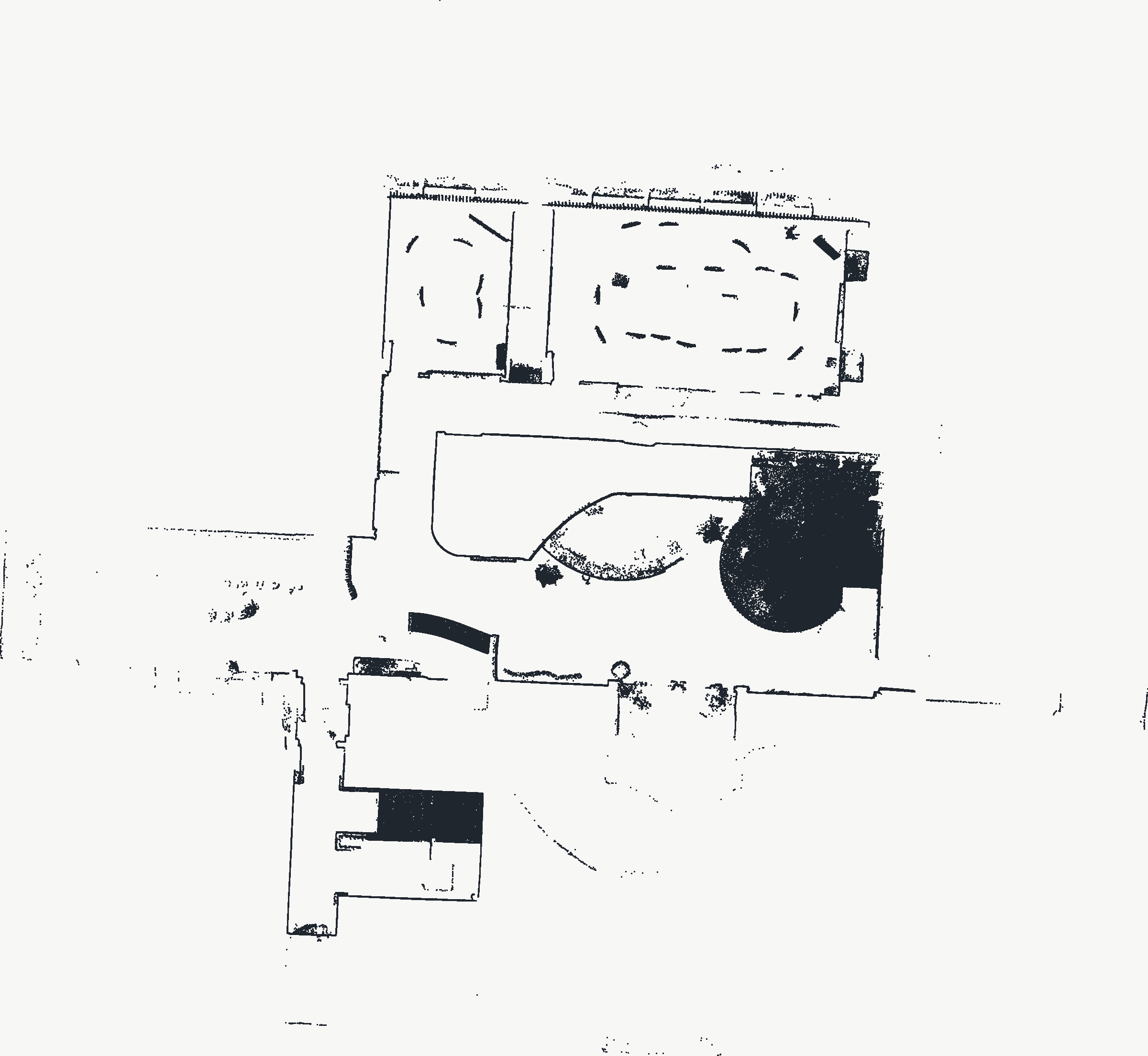
Plans were traced from horizontal slices of the point cloud. Accuracy is limited by scan registration and slice height, not by how closely the linework is drawn.
next project